Free & open source · Windows · Linux · macOS

Download everything.
Faster.

RDM splits every file across many connections, grabs videos and streams from any page, and keeps your downloads organised. Written in Rust, light on memory, and responsive at all times.

Free download · no account · no ads
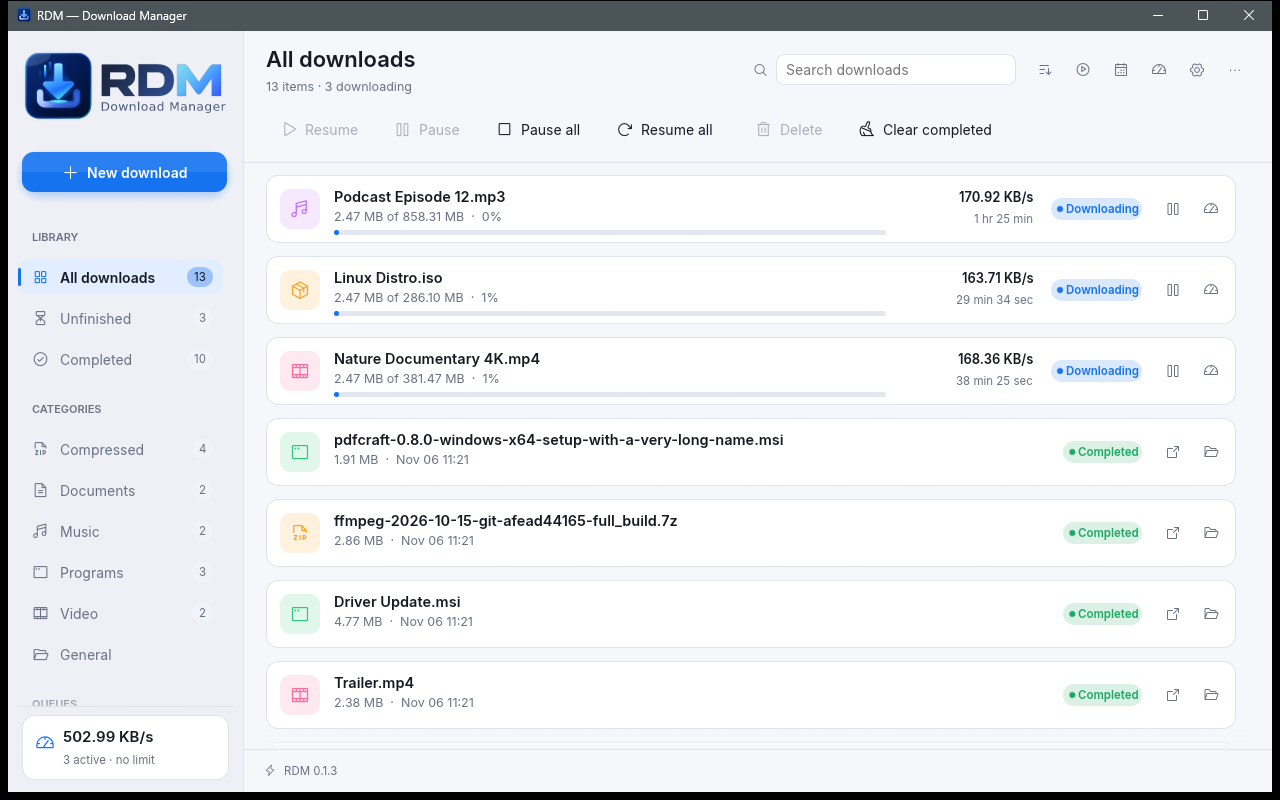
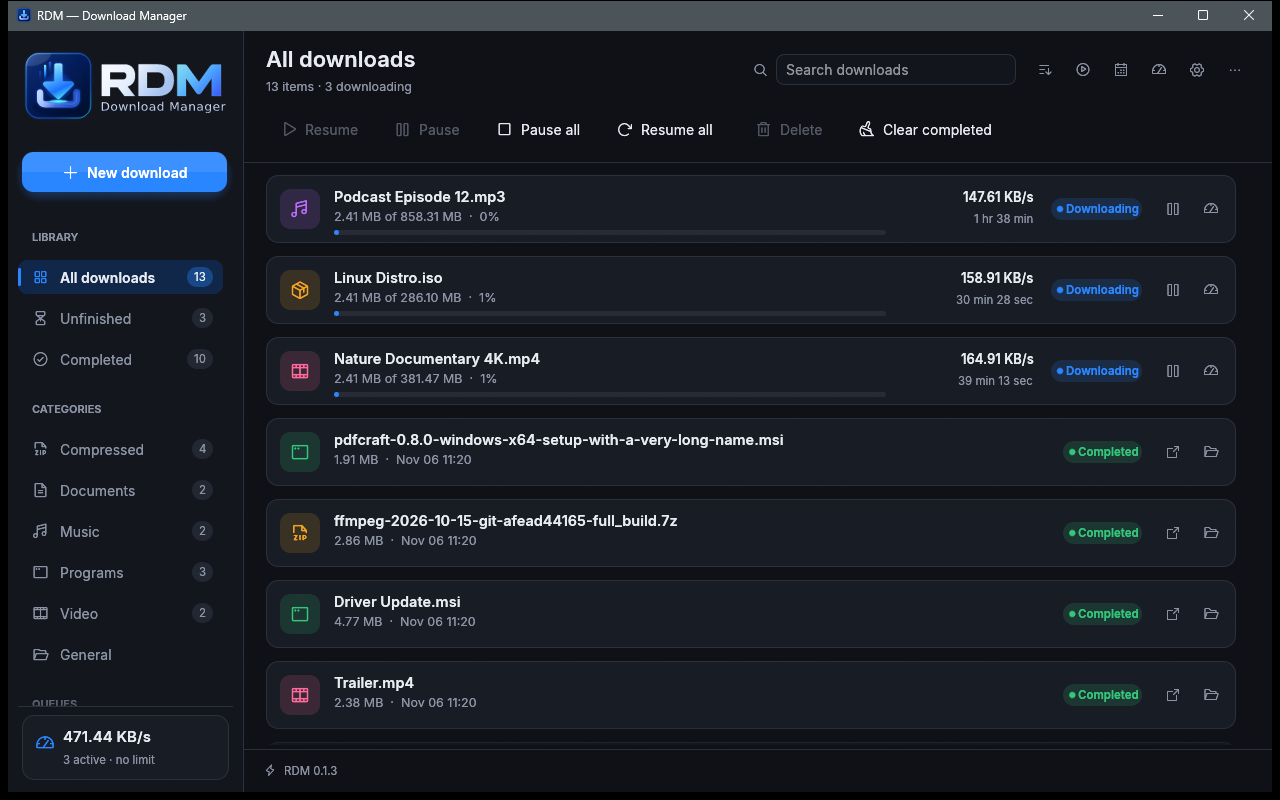
RDM main window with active downloads
8+connections per file
HLS · DASHstreams in any quality
4K · 60 fpsvideo, merged for you
6 browsersone extension
Features

Everything a download manager should do

Built from the engine up for speed and reliability, with the tools you expect and none of the clutter.

Multi-connection engine

Each file is split across up to 32 connections. A free connection always takes over half of the slowest part, so every socket stays busy to the very end.

Pause and resume anywhere

Stop a download and pick it up later, even after a crash or a reboot. Progress is saved every few seconds.

Video and streams

HLS and MPEG-DASH in the quality you choose. Video and audio that arrive separately, even as classic .ts segments, are joined into one MP4 or WebM by the built-in muxer, with nothing re-encoded and no ffmpeg needed.

Scheduler and queues

Run queues at set times and weekdays, limit how many files download at once, then exit, sleep or shut down when everything is done.

Site grabber

Crawl a website and collect its images, videos, documents or archives, or save a complete offline copy you can browse locally.

Speed limits and quotas

Global and per-download limits, plus quotas like “at most 500 MB every 2 hours” so the rest of the house can still browse.

Organised automatically

Categories with their own folders, smart file names, and protection against files that disguise their real extension.

Command line

The rdm tool downloads from scripts, sends links to the running app, or runs RDM headless as a daemon.

Private by design

No accounts, no tracking, no ads. The extension only talks to RDM on your own computer.

Video detection

A download button on every video

Play a video and RDM's button appears on the player. Pick the quality and the download starts right away.

  • Finds HLS and DASH streams, plain video files and subtitles
  • Every quality listed, from 480p to 4K
  • Video and audio joined into one file automatically
  • Works on YouTube, including 4K and 60 fps
  • Hide the button on sites where you don't want it
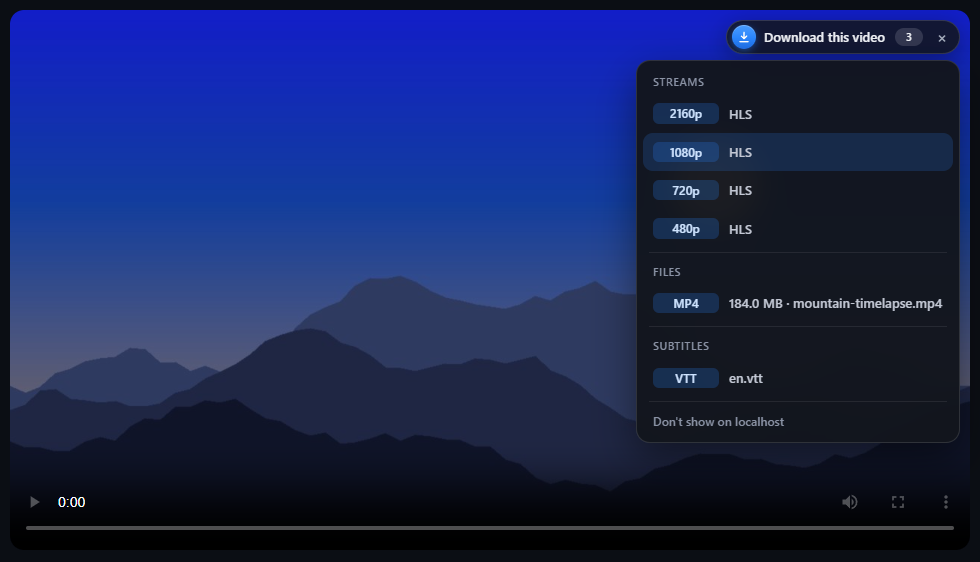
Download this video menu on a video player
Under the hood

Watch every connection work

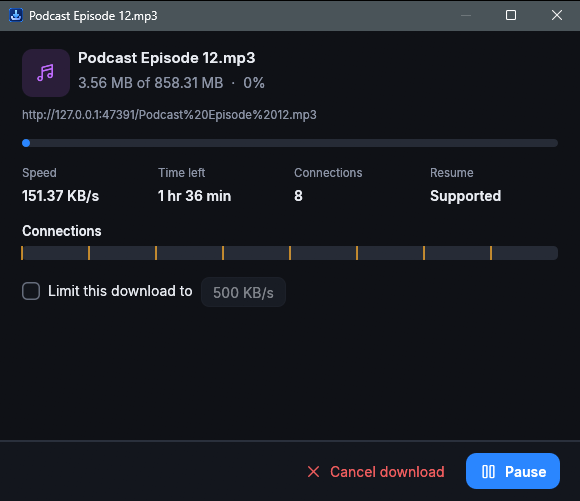
The details window shows each connection's part of the file in real time, along with speed, time left and whether the server can resume.

  • Starts with 4 connections and adds more while they all receive data
  • Adapts to servers that limit parallel connections
  • Checks the overlap between parts to catch bad data
  • HTTP, HTTPS, FTP, proxies, logins and browser cookies
Download details with per-connection progress
Screenshots

Clean, fast and easy on the eyes

Dark and light themes, a compact layout, and dialogs that stay out of your way.

Browser extension

Works with the browser you already use

Chrome, Edge, Brave, Vivaldi, Opera and Firefox. Downloads go straight to RDM, and the right-click menu gets Download with RDM entries.

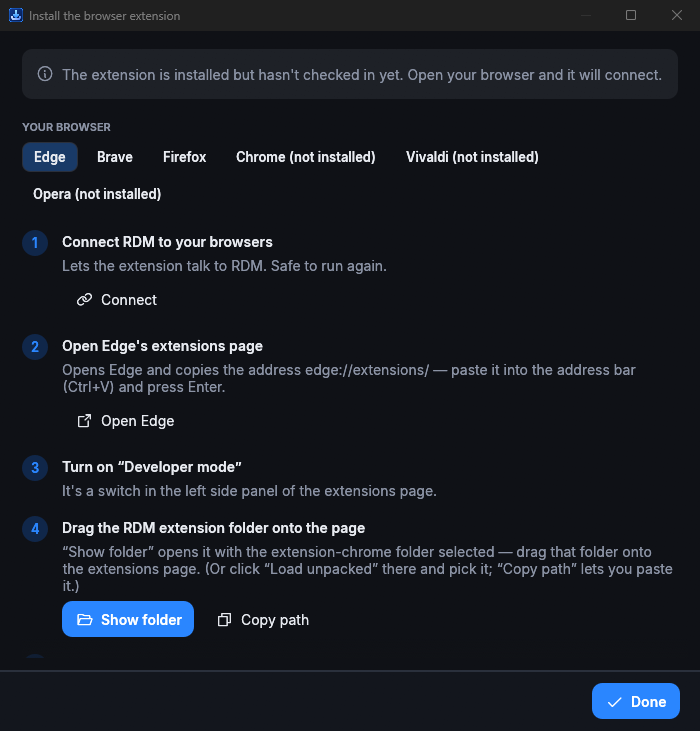
  • Built-in setup helper: RDM finds your browsers and walks you through every step
  • Drag the extension folder from RDM straight onto the browser
  • Hold Alt to force a download through RDM, Ctrl to skip it
  • Choose which file types RDM takes over
Browser extension setup helper
Get started

Up and running in a minute

Download, install, and connect your browser.

Download

Get the right file for your system from the latest release below.

Install

On Windows, run the setup. If Windows warns about it, choose More info, then Run anyway: RDM isn't code-signed yet. On macOS, open the .dmg and drag RDM to Applications. On Linux, unpack it and start rdm-gui.

Add the extension

Open Options → Install browser extension… and follow the steps for your browser.

All files are on the releases page.

Prefer the command line?

rdm get https://example.com/big-file.iso -c 16    # download with 16 connections
rdm add https://example.com/video.mp4 --now       # send to the running app
rdm list                                          # what the app is downloading
rdm daemon                                        # run without a window

Ready for faster downloads?

Free and open source under the MIT license.